
We already see How to Send a Message to all Whatsapp Contacts using WhatBot Plus. This software is able also to send a message to all your groups in Whatsapp at once. As you know WhatsApp groups cannot be added in a broadcast list, so you should have first send the message to one group, Then tap & hold the message and click on forward, then select the rest of the groups you want to send. It is not a very simple and intuitive thing to do.
WhatBot Plus offers a much simpler and faster way to send a message to all groups on Whatsapp (in your Whatsapp account) at once.
How to Send a Message to all YOUR Whatsapp GROUPS
Step 1. Download and install WhatBot Plus on your PC or Mac


NB: The free version does not allow you to import all groups from WhatsApp. You need to purchase the license to enable this feature.
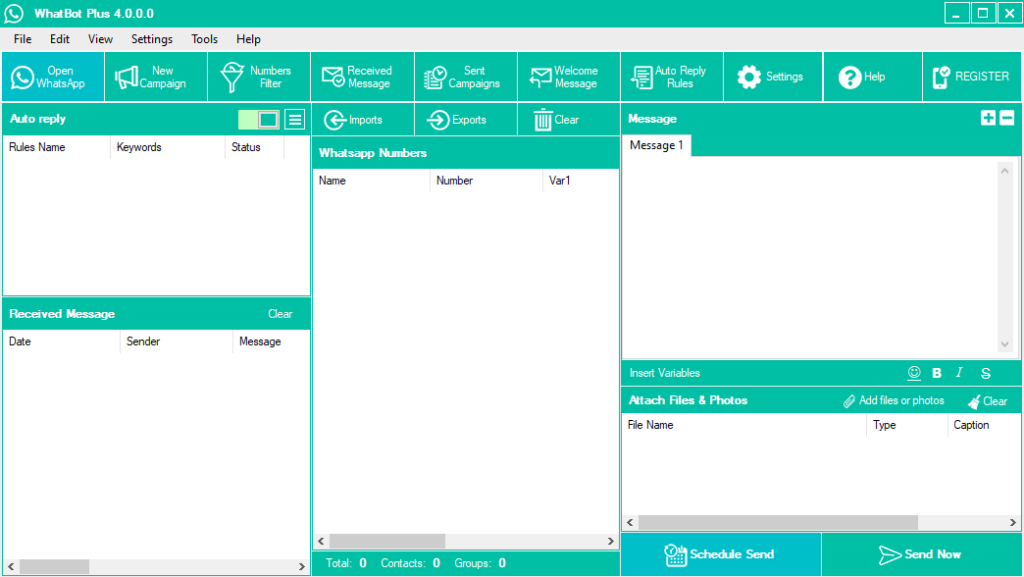
Once installed you will see this main screen:

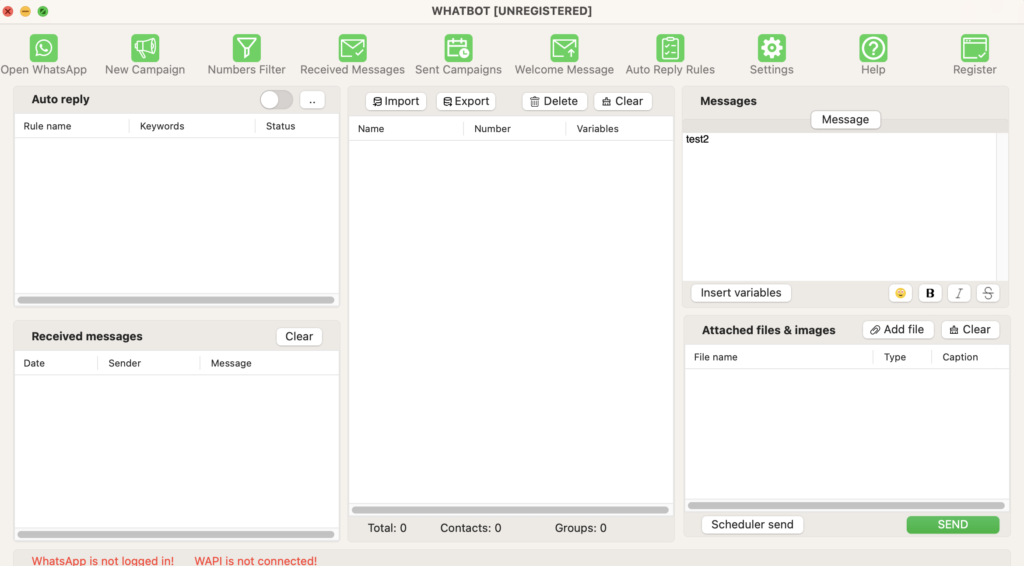
Mac screen:

Step 2. Open Whatsapp and scan QR Code
Once you open WhatBot Plus click on “Open Whatsapp” button on the top left.
On Mac, WhatBot requires the presence of Firefox as a browser in order to function correctly and open the WhatsApp web page with the QR code.
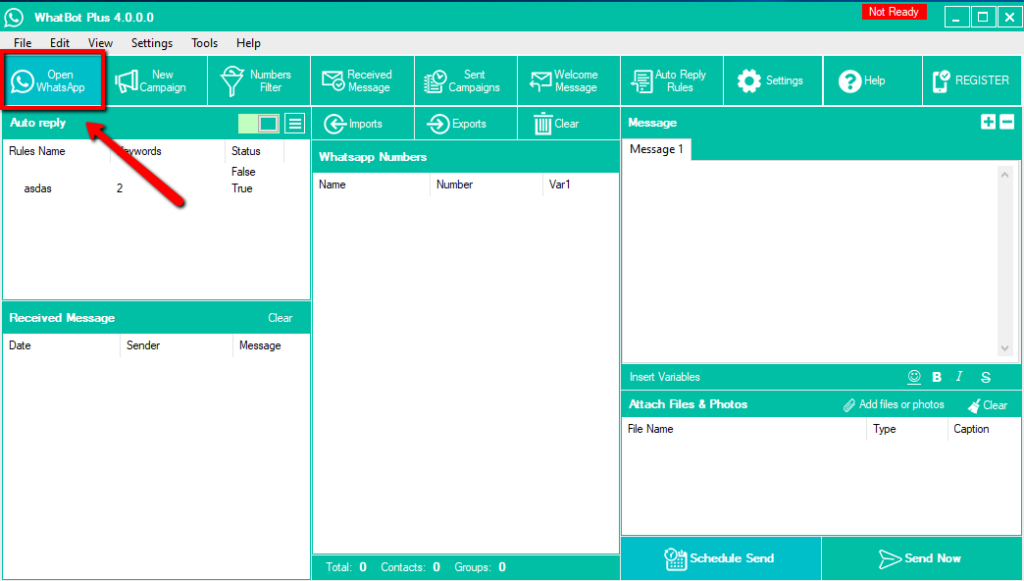

It will open a window (of Whatsabb web) with a QR code that you have to scan with the scanner integrated into the Whatsapp app of your phone.
After that you scan the QR Code the software will show a green text “READY” on the top right.
Step 3. Import All Whatsapp Groups
Tap on Imports button and then select Imports from Whatsapp Groups
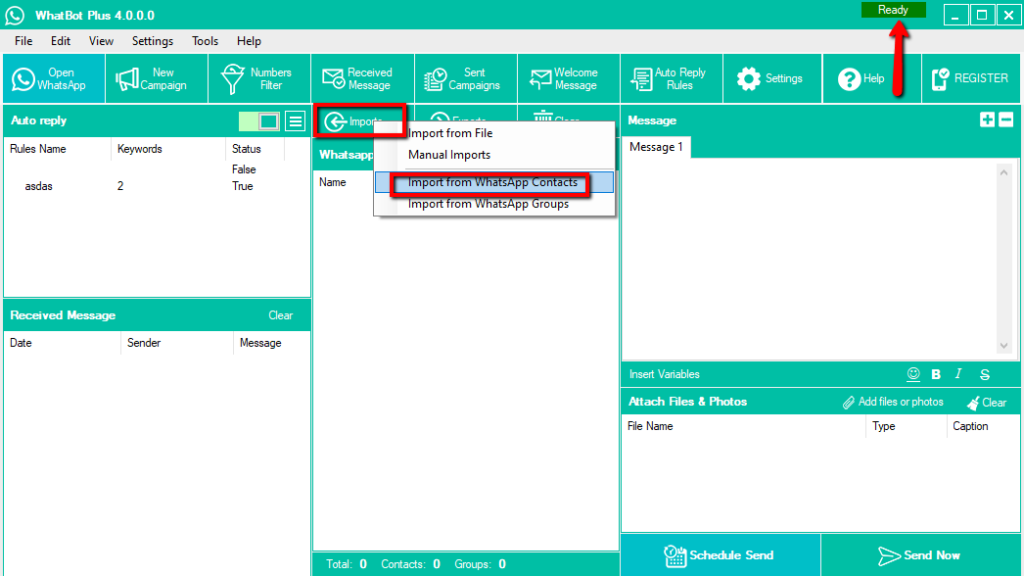

All your whatsapp groups will be automaticaly added in the program. You will see name of the grop and all numbers
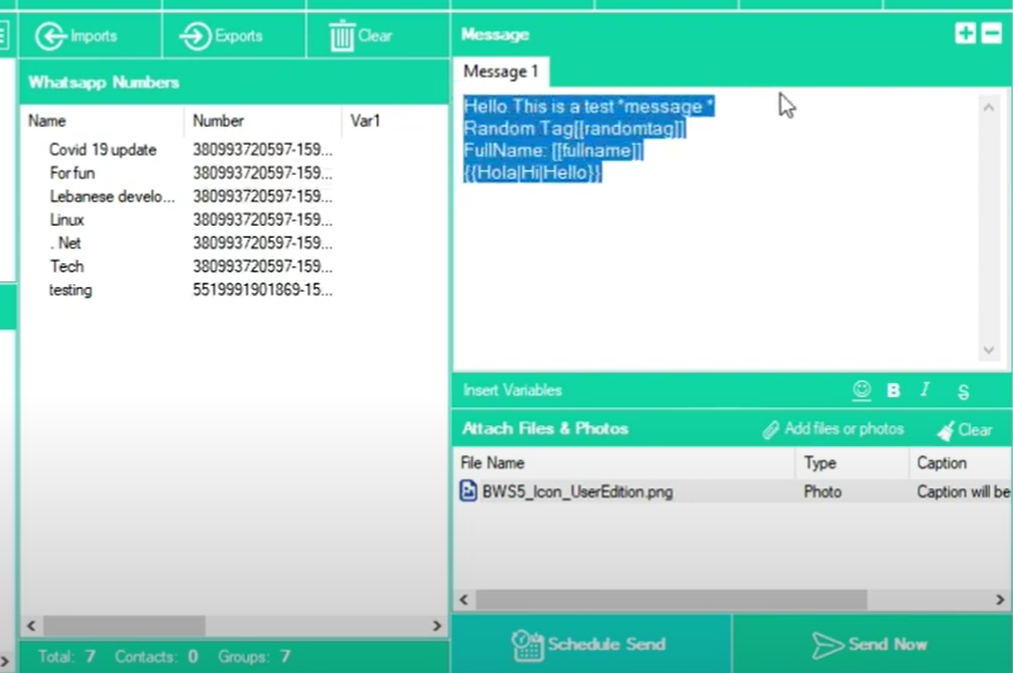

Step 4. Send message to all your whatsapp contacts
Enter the message in the box on the right. You can enter a message with variables like FullName, RandomTag and Spintax. Before sending the message you can also attach files & photos.
Finally click on Send Now to start the sending.
If you want to send later just click on Schedule Send and you will be able to choose a date and time of the sending.